iOS App · Available on the App Store

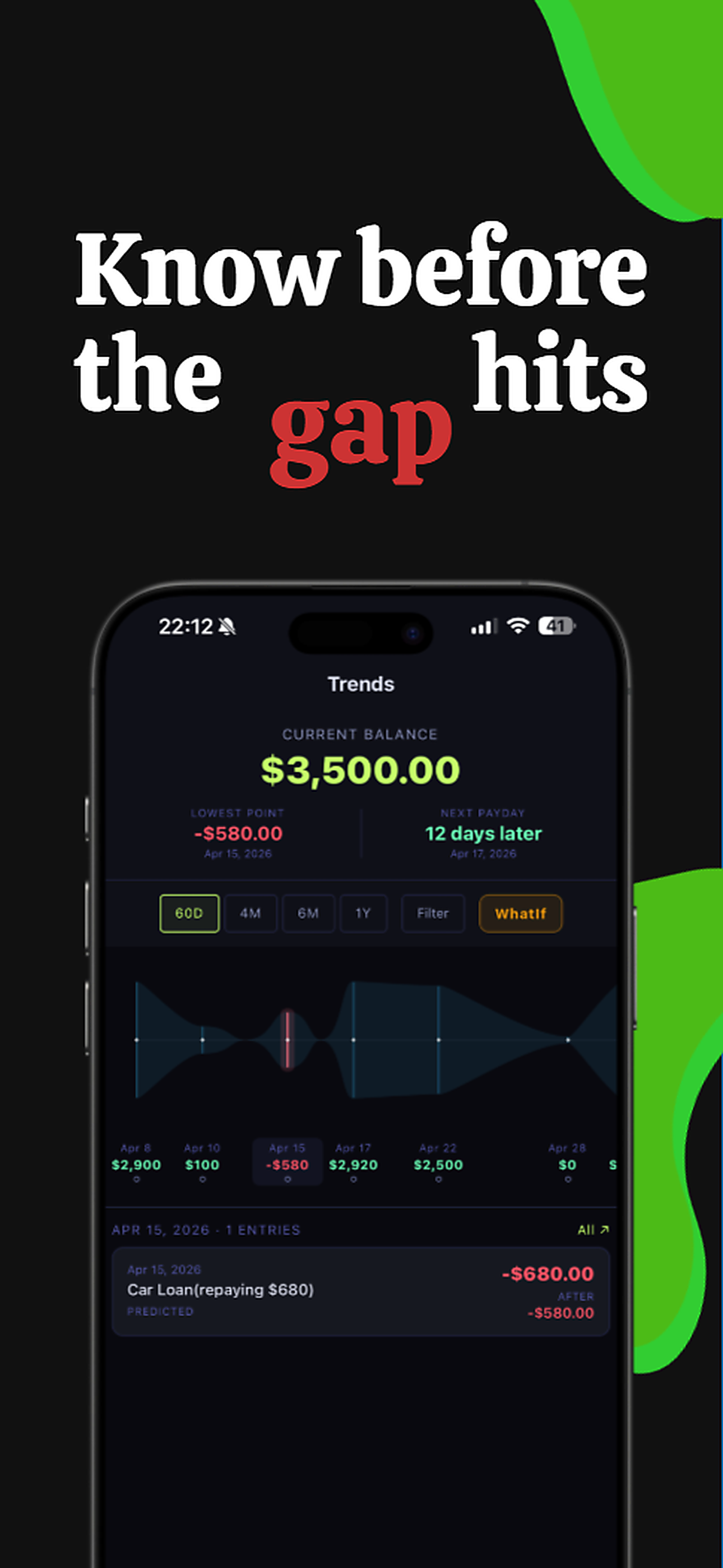
Know before
the gap hits.

Not a budgeting app. VulpFlow forecasts your cash flow — so you see the dip before it becomes an overdraft.

1 yr Forecast ahead
-$580 Gap detected early
0 Data uploaded
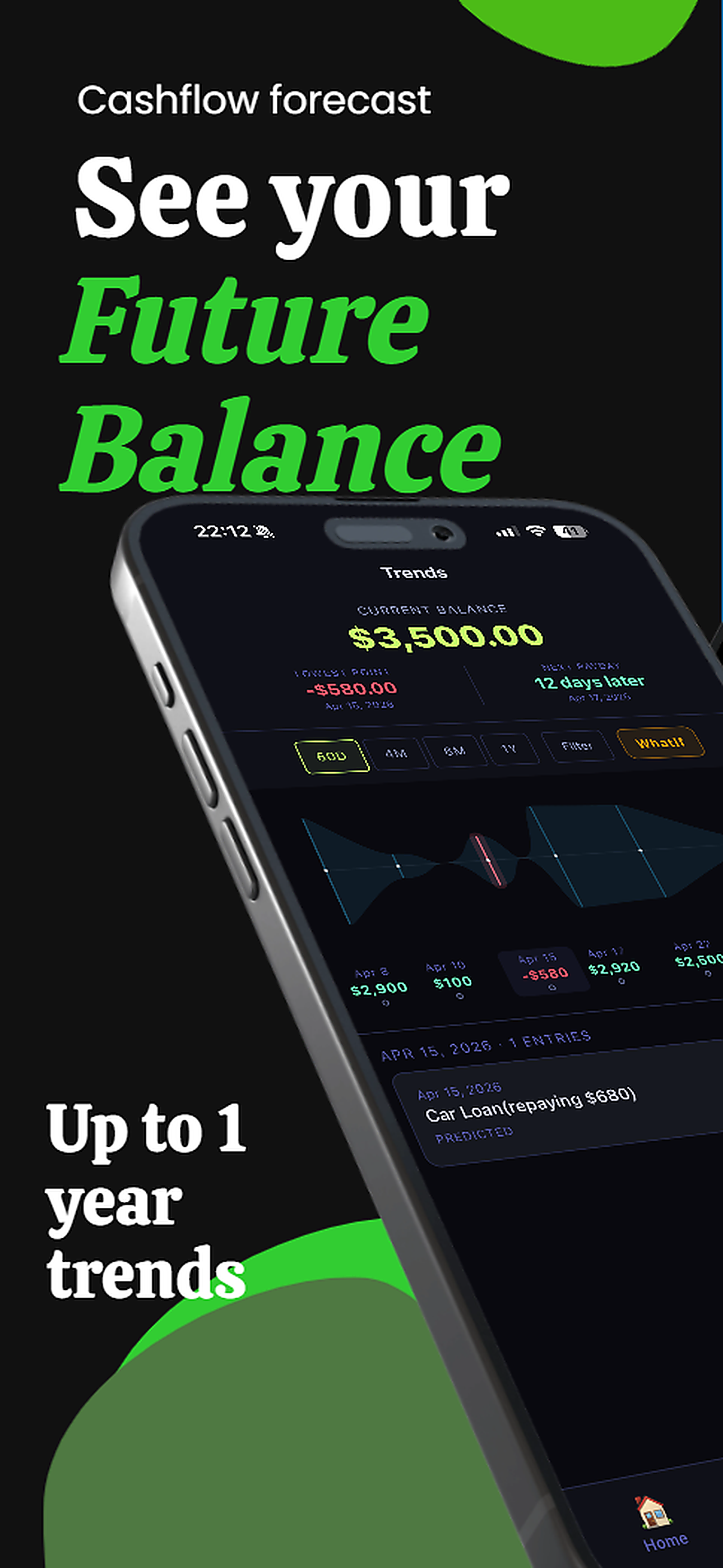
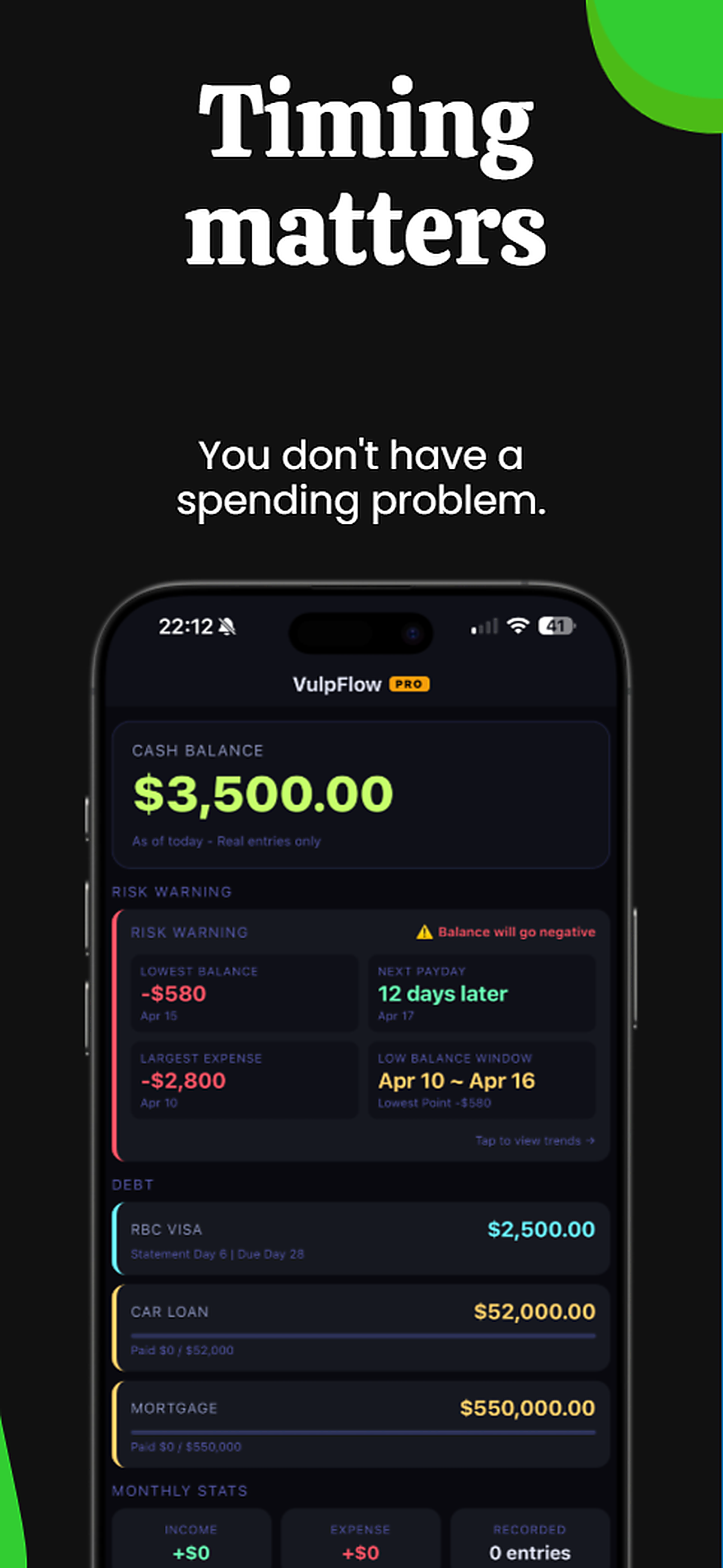
You check your balance. $3,500. You feel fine.

Then the 15th hits. Mortgage out. Car payment out. Credit card due.

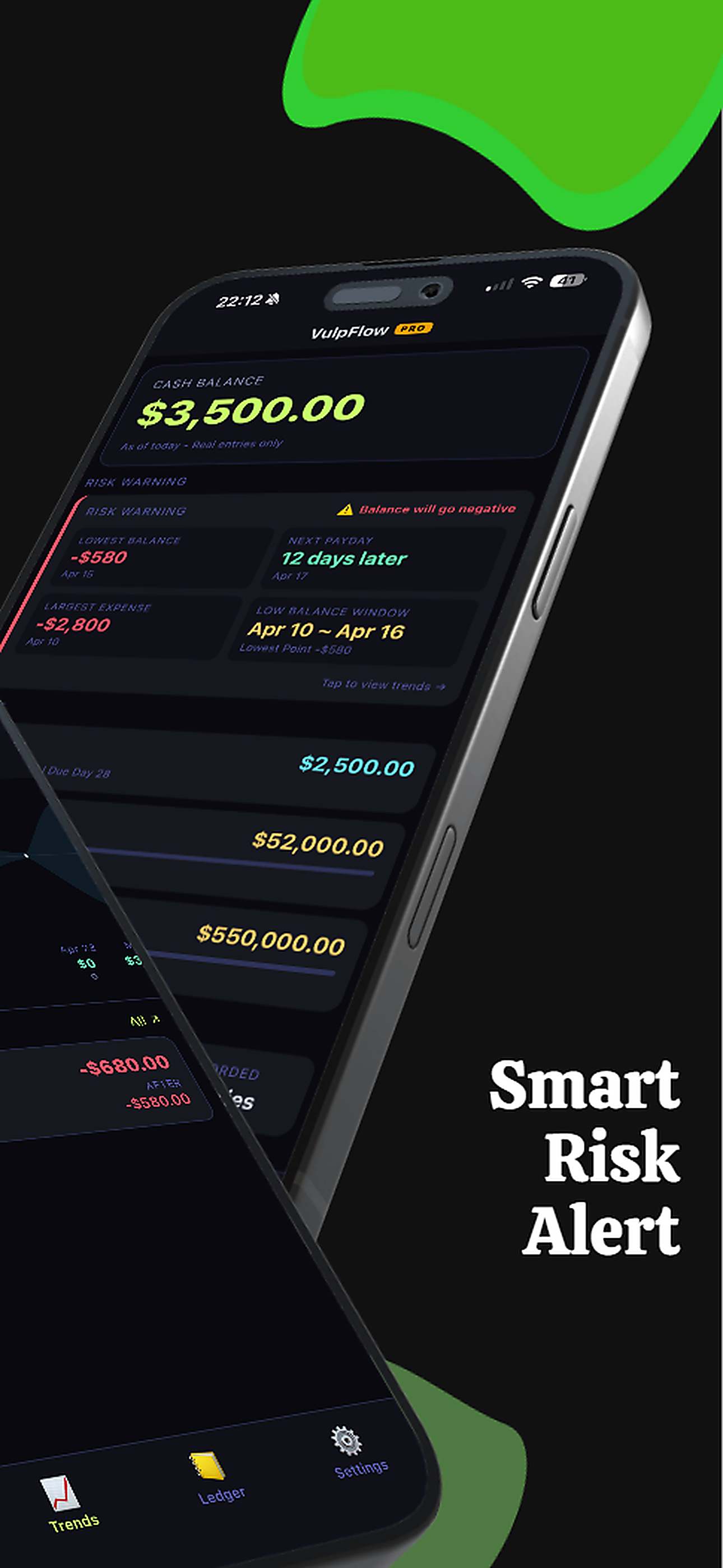
Suddenly you're at -$580 — and payday is still two days away.

You didn't overspend.
The timing beat you.

Your cash flow, mapped ahead

Enter your income, bills, loans, and credit cards once — and see what's coming.

📉

See gaps before they hit

VulpFlow maps every upcoming payment against your income and flags the lowest balance point — days in advance.

🔮

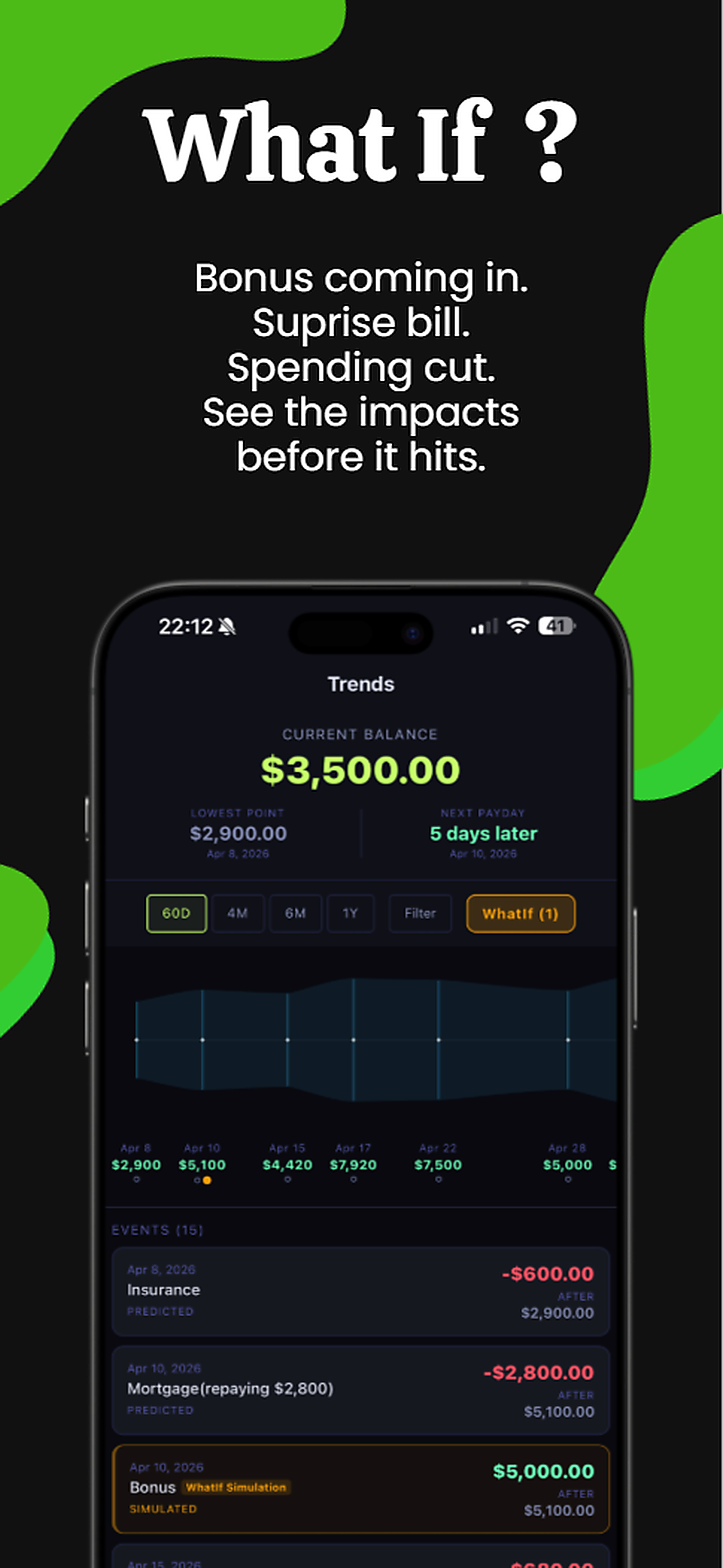
WhatIf simulations

Model a side gig, a surprise bill, or a spending cut — and see the cash flow impact instantly before committing.

💳

Loans & credit cards

Mortgage, car loan, credit card statements — all tracked in one unified forecast timeline.

🔔

Smart alerts

Get notified before your balance goes negative or a large expense is about to hit. No surprises.

📅

Up to 1 year ahead

See 60 days, 6 months, or a full year of your cash flow. Zoom out for the big picture anytime.

🔒

100% on-device

No account. No cloud sync. No bank connection needed. Your financial data never leaves your iPhone.

Other apps look back.
VulpFlow looks forward.

Budgeting apps
Track past spending
Require bank sync
Monthly view only
Tell you what happened
VulpFlow
Forecast future cash flow
Fully offline, no account
Day-by-day timeline
Warn you what's coming

Start free. Upgrade when ready.

No commitment. Cancel anytime.

Free
$0
forever · no credit card needed
  • 60-day cash flow forecast
  • 1 fixed expense
  • 1 credit card + 1 loan
  • 2 WhatIf simulations
  • Smart notifications
  • Up to 1-year forecast
  • Unlimited accounts
Download Free →

Your data stays on your device.

No account needed. No bank connection. No exceptions.

📵

No Account

Open the app and start. No sign-up, no email, no password required.

🚫

No Cloud Sync

Everything is stored locally on your iPhone. Nothing is uploaded anywhere.

🔐

Encrypted Backup

Export a password-protected backup file. You control it entirely.